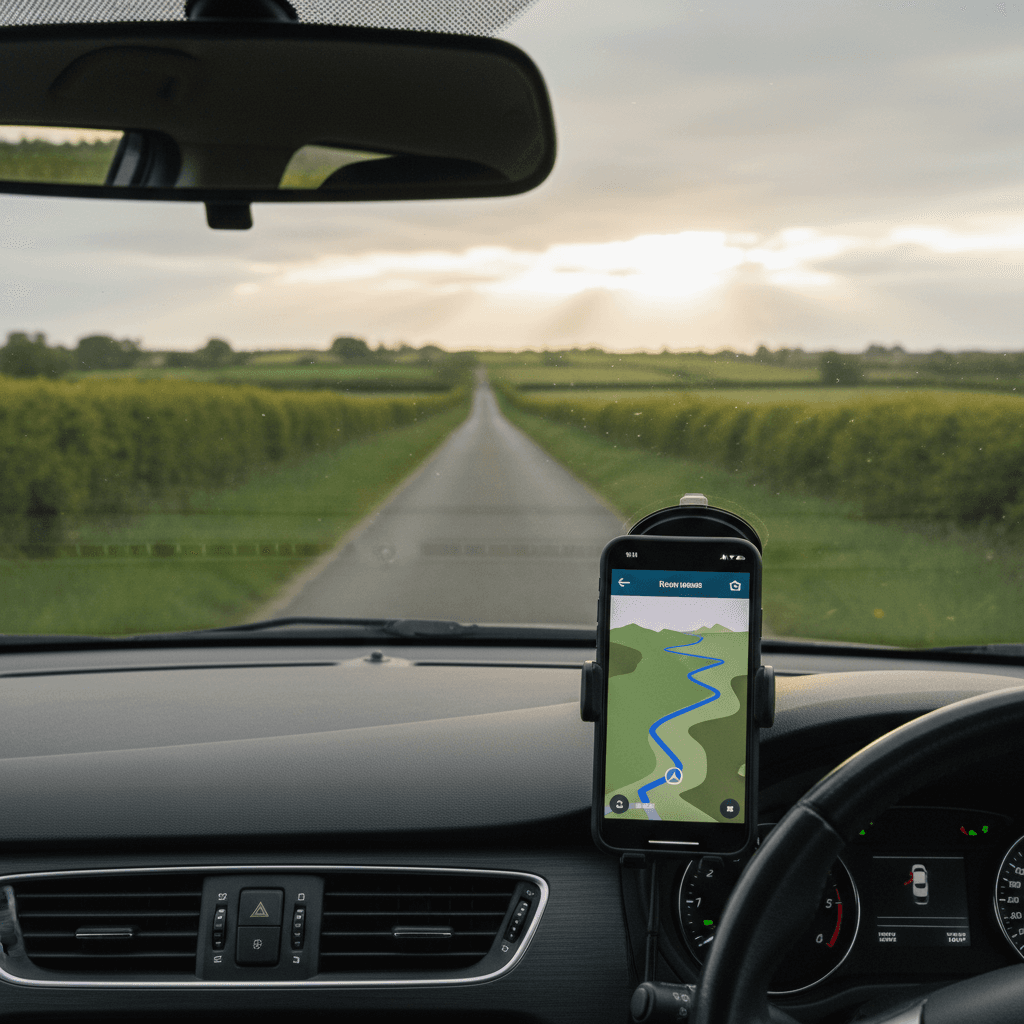
You'll want a satnav of some sort for Ireland. Not because the country is hard to navigate — it's small enough that you'd find your way eventually — but because rural signposts are inconsistent, half the place names are in Irish, and 4G drops out the moment you turn off a national road. The right setup makes the difference between a relaxed week and one spent pulled over in a layby trying to reload Google Maps.
I've been testing navigation apps on Irish roads for over a decade now, from dense Dublin commutes to single-track lanes in West Cork. This is everything that actually works, what's overrated, and which app to use when.
Satnav in Ireland: Do You Need One?
Short answer: yes, in some form. Long answer: probably not the kind you're thinking of.
For the vast majority of visitors driving in Ireland, the right satnav is the navigation app already on your smartphone, mounted in a windscreen holder, with offline maps downloaded before you fly. You don't need to buy a TomTom. You don't need to rent one from Hertz or Enterprise. You don't need any new hardware. The phone in your pocket right now is genuinely a better satnav than anything the rental desk will sell you.
Here's how to think about the three options.
Option 1: Your Phone in a Windscreen Mount (Recommended)
This is what I use. It's what almost every Irish driver under 50 uses. It's what every visitor I've ever advised has settled on by day two of their trip.
Why it wins:
- The maps are current. Google Maps and Apple Maps update their road network constantly. The M17 between Galway and Tuam, the M18 extension to Gort, the recent N4 upgrade past Mullingar — all show up correctly because they're updated within weeks of opening.
- It's free. No rental fee, no purchase cost, no map update subscription.
- Search is intelligent. You can type "café Westport open Sunday" and get useful results. No dedicated satnav can do this.
- Real-time traffic. Google Maps and Waze both have live traffic data that adjusts your route on the fly.
- It's the device you already know how to use.
The only thing you need to buy: a windscreen or vent phone mount, around €10–€20. More on which to choose below.
The one catch — and it's an important one — is mobile signal. Once you turn off the major motorways and head into Connemara, West Cork, Donegal, the Beara Peninsula or the Inishowen 100, you will lose 4G. Sometimes for 30 km at a stretch. The fix is offline maps, which I'll walk through step by step below. Download them and the signal issue disappears entirely.
Option 2: Renting a Satnav from the Hire Car Company
Cost: €8–€15 per day, depending on the company. Over a one-week rental that's €56 to €105.
Don't take it. Honestly, don't even think about it.
The maps in rental satnavs are usually two or three years out of date — they often miss the M17, the M18 extension, and a chunk of the upgraded N4. The interfaces are slow and clunky. The text-to-speech still pronounces Dún Laoghaire like it's three separate words. By the end of a one-week rental you've spent €60–€100 on something dramatically worse than the free app on your phone.
The only people I'd recommend a rental satnav to are travellers without a smartphone at all. In 2026 that's almost no one.
Option 3: A Dedicated GPS Device (TomTom, Garmin)
If you already own a TomTom or Garmin with European maps loaded, bring it. They work fine in Ireland, they don't need a mobile signal, and they're more comfortable to glance at than a phone screen.
Two things to check before you fly:
- Make sure the European map set is updated within the last year. Older maps miss recent motorway extensions. TomTom and Garmin map updates run €30–€60 if needed.
- Make sure the Republic of Ireland is included — UK-bought units almost always include it, US-bought units sometimes don't.
For visitors who don't already own a dedicated unit, there's no reason to buy one just for Ireland. A phone does everything they do and more.
The Verdict
Your phone, in a windscreen mount, with offline maps downloaded. €15 of one-time spend, zero ongoing cost, better experience than anything the rental desk will sell you. If you only read one section of this guide, this is the answer.
Best Phone Mount for Driving in Ireland
A good phone mount is a one-time €10–€20 purchase that you'll use every day of your trip. Don't fly in without one.
Why this matters: holding a phone in your hand while driving in Ireland is illegal. The fine is €120 plus 3 penalty points on a first offence, and the law applies even when you're stopped at traffic lights. The Gardaí enforce it on motorways via fixed cameras and on the M50 in particular, where the cameras catch people every day. A mount makes your phone legal to use as a satnav. It also makes it dramatically safer.
What to look for:
- Suction cup or vent clip? Vent clips are smaller, cleaner, and don't leave a suction mark on your windscreen. Suction cups give you more positioning flexibility. Either works fine. I prefer the vent clip in a hire car because the windscreen is already cluttered with rental stickers and toll tags.
- Magnetic vs cradle? Magnetic mounts are faster (just snap the phone on) but require a metal plate stuck to the back of your phone or your phone case. Cradle mounts grip the phone with adjustable arms — slower to use but no permanent attachment needed. For a one-week rental, a cradle is the better choice.
- Buy it before you fly. Phone mounts are sold at every Argos and Halfords in Ireland but the queue at Dublin Airport's luggage hall is a bad place to learn this. €15 on Amazon at home.
One brand recommendation, with no affiliation: the iOttie Easy One Touch range has been the standard "just works" mount in Ireland for years. There are cheaper options that are perfectly fine, and there are dramatically more expensive ones that aren't worth it.
Offline Maps for Ireland: Step by Step
This is the single most useful thing you can do before driving in rural Ireland. It takes three minutes. It eliminates the worst-case scenario (lost in Connemara with no signal) entirely.
How to Download Offline Maps in Google Maps
- Open the Google Maps app on your phone (you must be on Wi-Fi or have data, ideally before you fly)
- Search for "Ireland" in the search bar
- Tap your profile picture (top right corner)
- Tap "Offline maps"
- Tap "Select your own map"
- Pinch and drag the highlighted box to cover the area you need — for most visitors, highlight the entire island of Ireland, including Northern Ireland
- Tap "Download"
The download will be 1–2 GB depending on the area you've selected. Modern phones have ample space for this. Once downloaded, Google Maps will automatically use the offline data when you don't have a signal — you don't need to manually switch anything on.
Offline maps last 365 days before they need refreshing. If you're a regular visitor, refresh them once a year and you'll never have to think about it again.
How to Download Offline Maps in Apple Maps
iOS 17 and later added offline maps to Apple Maps, finally bringing it level with Google.
- Open the Apple Maps app
- Tap your profile picture (top right corner)
- Tap "Offline Maps"
- Tap "Download New Map"
- Search for "Ireland" or pinch the map to highlight the area you want
- Tap "Download"
Same idea as Google. Same caveats. Apple Maps offline mode works identically — once the area is downloaded, navigation continues even with no signal.
What About Waze Offline?
Waze does not work properly offline. It's designed around live community data and traffic reports, and its offline functionality is minimal — it can keep you on a route you've already started, but it can't properly reroute or search for new destinations without a signal.
This is the single biggest practical reason Waze is a "second app" rather than a primary in Ireland. Run it alongside Google Maps for traffic alerts in urban areas, but don't rely on it as your only navigation in the rural west.
The Top Apps Compared
The wider field, including the offline-first specialists.
| App | Offline Maps | Traffic Updates | Rural Coverage | Battery Use |
|---|---|---|---|---|
| Google Maps | Yes | Excellent | Good | Moderate |
| Waze | Limited | Best | Moderate | High |
| Apple Maps | Yes | Good | Good | Moderate |
| Maps.me | Yes | No | Excellent | Low |
| Sygic | Yes | Paid feature | Excellent | Low |
| Here WeGo | Yes | Yes | Good | Low |
For nearly all visitors the choice comes down to the top three. The offline-first specialists (Maps.me, Sygic, Here WeGo) are good as backups but most visitors won't need them once Google or Apple offline maps are downloaded.
Google Maps vs Waze vs Apple Maps in Ireland
The three main apps, side by side, with the things that actually matter on Irish roads.
| Feature | Google Maps | Waze | Apple Maps |
|---|---|---|---|
| Offline maps | Excellent — full country download | None (effectively) | Excellent (iOS 17+) |
| Rural accuracy | Best of the three | Patchy west of Athlone | Good |
| Real-time traffic | Good | Best in market | Good |
| Speed camera alerts | No | Yes (the best) | No |
| Garda speed van reports | No | Yes | No |
| Business listings | Best (cafés, B&Bs, attractions) | Limited | Good in cities, weaker rural |
| Eircode search | Yes | Yes | Yes |
| Interface | Cluttered but powerful | Busy, social-media style | Cleanest of the three |
| CarPlay / Android Auto | Both | Both | CarPlay only |
| Battery use | Moderate | High | Moderate |
| Best for | All-rounder, the right answer for most visitors | Dublin/city traffic and speed traps | iPhone users with CarPlay who don't need business search |
The Verdict
Google Maps is the best all-rounder for Ireland. Period. It's what I use, it's what most Irish drivers use, and it's what every visitor should default to. The combination of broad rural coverage, reliable offline mode, the best business search, and lower battery drain than Waze makes it the right primary for almost everyone.
Waze is the best companion app for Dublin commuters and city driving. Its real-time traffic data is genuinely better than Google's in Dublin rush hour, and its speed camera and Garda van alerts are the only thing of their kind on the market. Run it as a second app on your phone, in the background, when you're near Dublin, Cork, Galway or Limerick. Don't rely on it as your primary in the rural west.
Apple Maps is a perfectly valid choice for iPhone users with CarPlay who care more about clean interface than business search. It's no longer the joke it was in 2015 — the rural coverage and offline mode are now genuinely good. The one weakness is finding small businesses by name in rural areas, where Google still wins.
Google Maps in Ireland
The default for a reason. It's the most reliable everyday option in Ireland and the one I actually use.
Coverage is excellent across the country, including the smaller national and regional roads. Lane guidance on the M50 interchanges is solid. Speed limit warnings are mostly right, though they lag behind a few of the recent Limerick-to-Galway changes.
Two things to know:
Download offline maps before you leave Dublin. Already covered above — this is the single most useful preparation step.
Google Maps will occasionally try to send you down a road that isn't really a road. This is its one bad habit. If you're heading for somewhere on a peninsula and the suggested route includes a turn down something narrower than your hire car's wing mirrors, double-check it against the signed tourist route. The Slea Head Drive sign is more authoritative than the app.
The "avoid tolls" toggle is in route options. Worth using if you're heading north or west out of Dublin and don't want to deal with the M50 eFlow charge.
Does Waze Work in Ireland?
Yes. Waze works in Ireland and has done since around 2010.
It also has real limitations. The honest version of "does Waze work in Ireland" is more nuanced than a yes or no — it works brilliantly in some places and poorly in others, and knowing the difference matters.
Where Waze Is Brilliant in Ireland
Dublin. This is Waze's home turf in Ireland. There are enough Dublin commuters using it that the live traffic data, hazard alerts and Garda speed van reports are constantly being refreshed. On a sunny Saturday afternoon heading from Dublin city out to Wicklow or out the M11 to Wexford, Waze will save you twenty minutes by routing around a backup before Google Maps has even noticed it. If you're driving in or around Dublin during rush hour, it's the best app you can have on your phone.
Cork, Galway and Limerick. Less dense user base than Dublin but still enough active reporting that the live data is meaningful. The M50, M7, M8 and M6 motorways are all well-covered.
Speed cameras and Garda speed vans. This is the one feature where Waze is genuinely without competition in Ireland. The Garda's GoSafe speed van locations and the fixed speed cameras are crowd-reported and updated minute by minute. If you care about not getting a speeding ticket, run Waze in the background — it's the best speed-trap detection on the Irish market by some margin. What the cameras actually are, where each type is, and why an alert cannot save you inside an average-speed zone is on the speed cameras guide.
Hazard reports. Pothole, debris on the road, accident, broken-down vehicle. Other Waze users tag these in real time and you'll see them on your screen as you approach.
Where Waze Falls Short in Ireland
Rural Ireland. Once you're west of Athlone the live data thins out dramatically. There just aren't enough Waze users in the Burren, Connemara, West Cork, Mayo or Donegal for the crowd-sourced reports to be useful. The map data is still there, but the live overlay — which is the entire reason to use Waze — is mostly empty.
The narrow boreen problem. Waze occasionally invents routes that exist on OpenStreetMap but not in real life — usually because someone tagged a farm track or a private lane as a public road. It will then route you down a single-track lane with grass growing in the middle to save 1.4 km on a 60 km journey. Do not trust Waze blindly in rural areas. If the suggested route looks like it goes down a farmer's gateway, it probably does.
Battery drain. Waze drains a phone battery faster than anything else on this list. Plug in. Always. If your hire car doesn't have a USB port (older cars sometimes don't), buy a €5 cigarette-lighter charger from any Tesco or Maxol on the way out of Dublin Airport.
Offline mode. Waze is effectively useless without a signal. It's designed around live community data and it can't properly function offline. This is the single biggest reason it can't be your only navigation app in Ireland.
The Right Way to Use Waze in Ireland
Run Google Maps as your primary navigation with offline maps downloaded for the entire country. Run Waze in the background, picture-in-picture or split screen, when you're driving in or near Dublin, Cork, Galway or Limerick. When you head into the rural west, you can close Waze entirely and rely on Google Maps offline.
That combination has never failed me on Irish roads in fifteen years of driving them.
Is Waze Better Than Google Maps in Ireland?
For real-time traffic and speed cameras specifically — yes. For everything else — no. Waze is a specialist tool that excels at one thing (live community data) and is mediocre at most other things (offline mode, business search, rural coverage). Google Maps is a generalist that's good at almost everything.
If you can only have one app, have Google Maps. If you can have two, add Waze as the second.
Apple Maps in Ireland
Better than its reputation. Much better than it was five years ago.
If you're an iPhone user with CarPlay in your hire car (more rentals have it now), Apple Maps is genuinely a good option. The interface is calmer than Google's, Siri integration actually works, it does offline maps as of iOS 17, and "Look Around" lets you preview tricky junctions before you arrive at them.
What it lacks compared to Google: the breadth of business listings, opening hours and reviews. If you're navigating to an attraction, café or B&B that doesn't have a high profile, Google still wins on finding the right pin.
For pure A-to-B navigation in Ireland, Apple Maps is fine. For "find a coffee shop in Westport that's open before 9 am", Google.
Offline-First Apps (Backup Options)
For routes where mobile signal is genuinely unreliable — the Wild Atlantic Way, the Connemara Loop, the Donegal Highlands — there are apps designed offline-first that don't even pretend to need a signal. These are useful as backups but most visitors won't need them once Google or Apple offline maps are downloaded.
Maps.me
Free, runs on OpenStreetMap data, includes hiking trails and walking paths that the big apps don't. For rural areas it's often more accurate than Google because the OSM contributor base in rural Ireland is enthusiastic and local. No traffic data, very low battery usage. A useful backup, not a primary.
Sygic
Full offline navigation, decent speed limit database, head-up display mode if you want to project onto the windscreen. The free version is enough for most trips. The paid premium adds traffic.
Here WeGo
Owned by the carmakers (BMW, Audi, Mercedes), so the underlying mapping is built for driving rather than search. Solid offline mode, full country downloads, traffic when online, public transport included if you're going to be hopping trains in Dublin.
Ireland-Specific Apps
These aren't navigation apps, but they're what locals check before getting on the road.
AA Roadwatch
Real-time traffic from the AA Ireland. The site every Irish radio show quotes when there's a crash on the M50. Worth a quick scan in the morning before you set off.
Live Drive (TII)
Transport Infrastructure Ireland's traffic site, with motorway cameras, roadworks notifications, and major incident alerts. The cameras are useful for checking conditions in the Dublin Port Tunnel and on the major M-routes.
Transport for Ireland
Journey planner that includes road conditions alongside public transport. Most useful if you're mixing driving with the odd train or bus leg.
Using Multiple Apps Together
What I'd actually run on a one-week Irish road trip:
- Google Maps as primary, with offline maps for the entire Republic downloaded the night before pickup
- Waze open in the background or in split screen for traffic and Garda van alerts when in or near Dublin, Cork, Galway or Limerick
- AA Roadwatch checked once in the morning before any long drive
That combination has never failed me on Irish roads.
Practical Tips
Before Your Trip
- Download offline maps for the whole island of Ireland, not just your route — you'll detour
- Update both your maps app and your phone's OS to the latest version
- Test the navigation on the way to the airport so you know where the buttons are
- Buy a phone mount at home before you fly
In the Car
Phone goes in the mount. Always. The handheld phone law is enforced and the fines are real.
If your hire car has CarPlay or Android Auto, use it. Bigger screen, better audio prompts, and you can ignore the phone entirely while moving — see our left-hand driving guide for why minimising distractions matters during your first hour adapting to driving on the left.
Set the destination before you put the car in drive. Don't fiddle with it at traffic lights.
Managing Battery
Navigation eats batteries. Plug in. If the rental doesn't have a USB port (older cars sometimes don't), buy a cheap 12V cigarette-lighter charger at any Tesco or Maxol shop on the way out of the airport.
Lower your screen brightness to about 70%. Close anything you're not actively using. Carry a small power bank as a backup if you're heading somewhere remote.
Rural Areas
Don't trust the app blindly the further west you go. Cross-check against the road signs. If the satnav is sending you down something that looks like a farmer's gateway, it probably is. Reverse out, take the slightly longer way round, and don't be the third American this year to scrape the wing of a hire car on a dry stone wall in Doolin.
Locals will help. If you wind down the window in any rural town and ask for directions, you'll get them, plus probably a story about whoever lives in the house at the end of the lane.
Navigation Tips for Irish Roads
Speed Limit Accuracy
Apps don't always have the latest limits, especially on:
- Recently rebuilt sections of national roads
- Minor R-routes that have been downgraded
- Towns and villages that have just had a 30 km/h zone introduced
Trust the actual signs over the app. Always. For every Irish speed limit, including what is changing, see the speed limits guide; for road signs and the rest of the Rules of the Road, see the driving rules guide.
Dublin's Quay Bus Gates
No mainstream navigation app reliably accounts for Dublin's city-centre bus gates. Since 25 August 2024 general traffic cannot continue straight along the quays past O'Connell Bridge — Bachelors Walk onto Eden Quay, or Burgh Quay onto Aston Quay — between 7am and 7pm, Monday to Sunday. Outside those hours there is no restriction at all, and crossing the Liffey by any bridge is unaffected at any time.
An app may still hand you that straight-ahead move in the middle of the day. Read the sign at the junction rather than the screen, and take the turn it leaves you. The full rule, including the Westland Row junction, is in the driving rules guide.
"Shortest Route" Warnings
The shortest route is rarely the best one in Ireland. Apps will sometimes route you down a single-track lane with grass growing in the middle to save 1.4 kilometres on a 60-kilometre journey. The "saving" comes at the cost of a 25 km/h crawl past tractors and bramble hedges.
For scenic drives like Slea Head, follow the signed tourist loop rather than whatever the app calls the shortest path. The signs were put there by people who know the road.
Place Names
Irish place names are a special case. Two things to watch:
English vs Irish. Many places use both, and the road signs may show one while the app shows the other. Dingle is also An Daingean. Dún Laoghaire is the same in both languages but visitors mispronounce it (it's "dun leary"). If your app can't find a town, try the other version.
Duplicate names. Ireland has roughly four Newcastles, three Carrickmacrosses if you spell it wrong, and a Killenaule that the app sometimes confuses with Killaloe. Type the full name and check the county.
The single most reliable way to navigate to an address in Ireland is the Eircode. It's the Irish postcode system and unlike the British postcode it identifies an exact building. Get the Eircode of every B&B you're staying in before you fly. Type it into Google Maps and you'll arrive at the front door.
Common Navigation Issues
"Continue for 80 km"
You'll see this a lot west of Galway. It's not a bug. Some Irish routes have very long stretches between turns. Settle in, look at the scenery, the app will speak up when it needs to.
Losing Signal
If the bars drop out mid-route:
- Offline maps keep working, if you downloaded them
- Stay on your current road until signal comes back
- Cross-check with road signs
- If you're genuinely lost, pull in safely and look at the map at a standstill
Wrong Destination
This is mostly an Eircode and rural-address problem. Vague rural addresses like "Doonbeg, Co. Clare" can drop you anywhere in a 5 km radius. Always get the exact Eircode before you set out.
Recommended Settings
Google Maps
- Offline maps: download the whole island
- Speed limits: on
- Avoid tolls: optional, depending on whether you want to dodge the M50 eFlow
- Satellite layer: useful in rural areas for spotting which farm gate is the right turn
Waze
- Police reports, hazards, speed cameras: all on
- Speed limit warnings: on
- Disable the social/avatar features (they drain battery and add nothing)
- Routing preference: fastest, not shortest
Apple Maps
- Offline maps: download the whole island
- Lane guidance: on
- Real-time transit: on if you're mixing driving with city public transport
- Use CarPlay if your rental supports it
The Bottom Line
For nine out of ten visitors, the right answer is Google Maps with offline maps downloaded for the entire island of Ireland, plus Waze running in the background for traffic and Garda speed van alerts when you're near Dublin, Cork, Galway or Limerick. Both are free. Both fit on any modern phone. Both are dramatically better than anything the rental desk will sell you.
Buy a windscreen phone mount for €15 before you fly. Download the offline maps the night before your trip. Don't pay €60 for a rental satnav. Don't let the desk agent talk you into the GPS upsell.
While you're doing the night-before setup, install the parking apps too. Ireland has no single national one — Parking Tag, APCOA Connect and a few council apps split the country between them, and every one of them keys off your vehicle registration. Our parking guide covers which app covers where, and the three payment systems you'll meet on the street.
And keep an eye on the road signs — they were put there by people who know where you're going.
For more practical driving advice, see:
- Left-Hand Driving: Complete Guide for Visitors
- Roundabout rules in Ireland
- Irish Driving Rules and Road Signs
- Toll Roads & the M50
- Parking in Ireland — the parking-payment apps, and why they need this hire car's registration
- Car Rental Guide